
15 Hidden AirPods Pro 3 Features Every Owner Should Try
You’d think spending hundreds of dollars on a pair of earbuds would mean you’re getting the full experience the moment you open the box.
Most of us don’t.
The typical routine is predictable: peel off the plastic, pair them with an iPhone, put on a favorite playlist, and spend the next few weeks enjoying noticeably better sound and noise cancellation. That’s usually where the story ends.
But after living with the AirPods Pro 3 for a while, I started noticing something interesting. The features I appreciated most weren’t the ones Apple highlighted during its keynote or printed on the side of the box. They were the small conveniences hidden inside iOS—features that quietly changed how I listened to music, answered calls, commuted, worked, and even found my earbuds after inevitably misplacing them.
Some of these tools are buried several menus deep. Others only become available after enabling a specific setting. A few are so useful that you’ll probably wonder why Apple doesn’t make a bigger deal out of them.
If you’re still deciding whether Apple’s latest earbuds are worth upgrading to, you may also want to read our AirPods Pro 3 vs AirPods Pro 2 comparison, where we break down every meaningful difference between the two generations.
For everyone else, let’s dive into the features that can completely change the way you use your AirPods Pro 3 every day.
1. Personalized Spatial Audio Feels More Convincing Than You Expect
When Apple first introduced Spatial Audio, I’ll be honest—I figured it was one of those flashy keynote features that sounds incredible on stage but ends up being a gimmick you toggle on once, shrug at, and never think about again.
Turns out, I was wrong.
Once you set up Personalized Spatial Audio, something genuinely interesting happens. Music and movies stop feeling like they’re just pumping out of two tiny speakers lodged in your ears. Instead, the sound opens up—instruments spread out in a way that feels natural, vocals lock into place, and those Dolby Atmos mixes suddenly start making a whole lot more sense.
The setup itself takes maybe a minute. Your iPhone’s TrueDepth camera scans the unique shape of your ears and builds a listening profile tailored just for you. It sounds a bit extra, but the difference is real.
Now, I’m not going to oversell it. The effect isn’t mind-blowing with every single track. Your standard stereo recordings aren’t going to transform into three-dimensional masterpieces suddenly. But switch over to a well-produced Dolby Atmos album, throw on a movie mixed for immersive audio, or fire up a game that supports spatial sound, and the effect becomes surprisingly convincing. Action sequences feel more cinematic. Live concert recordings actually feel like you’re in the room. Even certain games pull you deeper into the action.
Here’s the thing—I don’t leave it enabled because Apple told me to. I leave it enabled because, after using it for a few weeks, turning it off just makes everything feel… flatter. Like someone sucked the life out of the audio, it’s one of those features you don’t fully appreciate until you try to go back.
If you’re curious about how Apple has improved the overall audio experience this time around, our complete AirPods Pro 3 Review: Apple’s Biggest Earbud Upgrade Yet—But Not Everyone Will Love It covers everything from sound performance to battery life and the features that actually matter.
2. Adaptive Audio Quietly Becomes One of Your Favorite Features
There are plenty of impressive features on the AirPods Pro 3 that hit you right away. The sound quality. The noise cancellation. The sheer ease of use.
Adaptive Audio isn’t one of them.
And honestly? That’s exactly why it’s so brilliant.
Most wireless earbuds force you to pick a side; either you want total silence, or you want to hear everything around you. You’re constantly toggling between Noise Cancellation and Transparency Mode based on where you are and what you’re doing. It becomes this little mental chore that you don’t even realize is draining your focus.
Adaptive Audio takes most of that effort off your plate.
The first time I really noticed it was during a walk from a quiet park onto a busy road. I instinctively reached up toward the stem to switch modes, only to realize, wait, the earbuds had already handled it. Traffic sounds gradually became more audible. Wind noise stayed under control. My music remained perfectly listenable throughout. Nothing happened abruptly. There wasn’t some dramatic transition or jarring shift. The earbuds just quietly adapted as my surroundings changed.

And that’s what makes the feature feel genuinely intelligent. Instead of interrupting your listening session every few minutes with manual adjustments, it fades into the background and lets you focus on whatever you’re doing—whether that’s a podcast, a playlist, or just your own thoughts.
That said, it’s not flawless. In especially chaotic environments, like crowded train stations or busy airports, I’ve occasionally preferred manually enabling full Noise Cancellation. Adaptive Audio sometimes lets a little more outside sound through than I’d personally like. But for everyday commuting, walking around town, or grabbing coffee? It’s become my default listening mode without question.
The Feature I Didn’t Expect to Use Every Day
Conversation Awareness sounded like one of those features I’d probably disable after a few hours.
On paper, it almost feels unnecessary. Lower the music when someone starts talking to you? That’s something I’ve been doing manually for years by pulling one earbud out.
Then I actually lived with it.
The first time it really clicked was while ordering coffee. My music faded before I had even reached for the volume controls. The earbuds recognized that I was speaking, lowered the playback naturally, and let the outside world back in without forcing me to interrupt what I was listening to.
It wasn’t dramatic.
It was simply convenient.
That may not sound like much until you’ve experienced it dozens of times. At the grocery store. At the office. Walking through an airport. Chatting with a neighbor while taking the dog outside.
Those tiny interruptions that used to require a tap or removing an earbud simply disappear.
Even better, once the conversation ends, your music gradually returns to its previous level instead of blasting back into your ears. It’s subtle enough that after a week or two, you almost forget it’s happening.
That’s probably the highest compliment I can give any smart feature.
It quietly gets out of the way.
There are situations where it isn’t perfect. If you’re someone who talks to yourself while working—or you’re singing along to your playlist—it can occasionally mistake your own voice for the beginning of a conversation. It doesn’t happen often, but it reminds you that Apple’s software is making educated guesses rather than reading your mind.
Still, it’s become one of those features I leave enabled because the convenience outweighs the occasional false trigger.
Losing Your AirPods Doesn’t Have to Ruin Your Day
Every AirPods owner eventually experiences the same moment of panic.
You pat your empty pockets. Check the kitchen counter. Peer under the couch cushions. Nothing. You’re convinced they’ve somehow vanished into another dimension before remembering, oh right, they’re in yesterday’s jacket.
With older AirPods, Find My could usually point you toward a general area where the case was hiding. Which was… fine. Helpful, sure. But not always enough when you’re digging through couch cushions, rummaging through a backpack, or scanning an overcrowded desk.
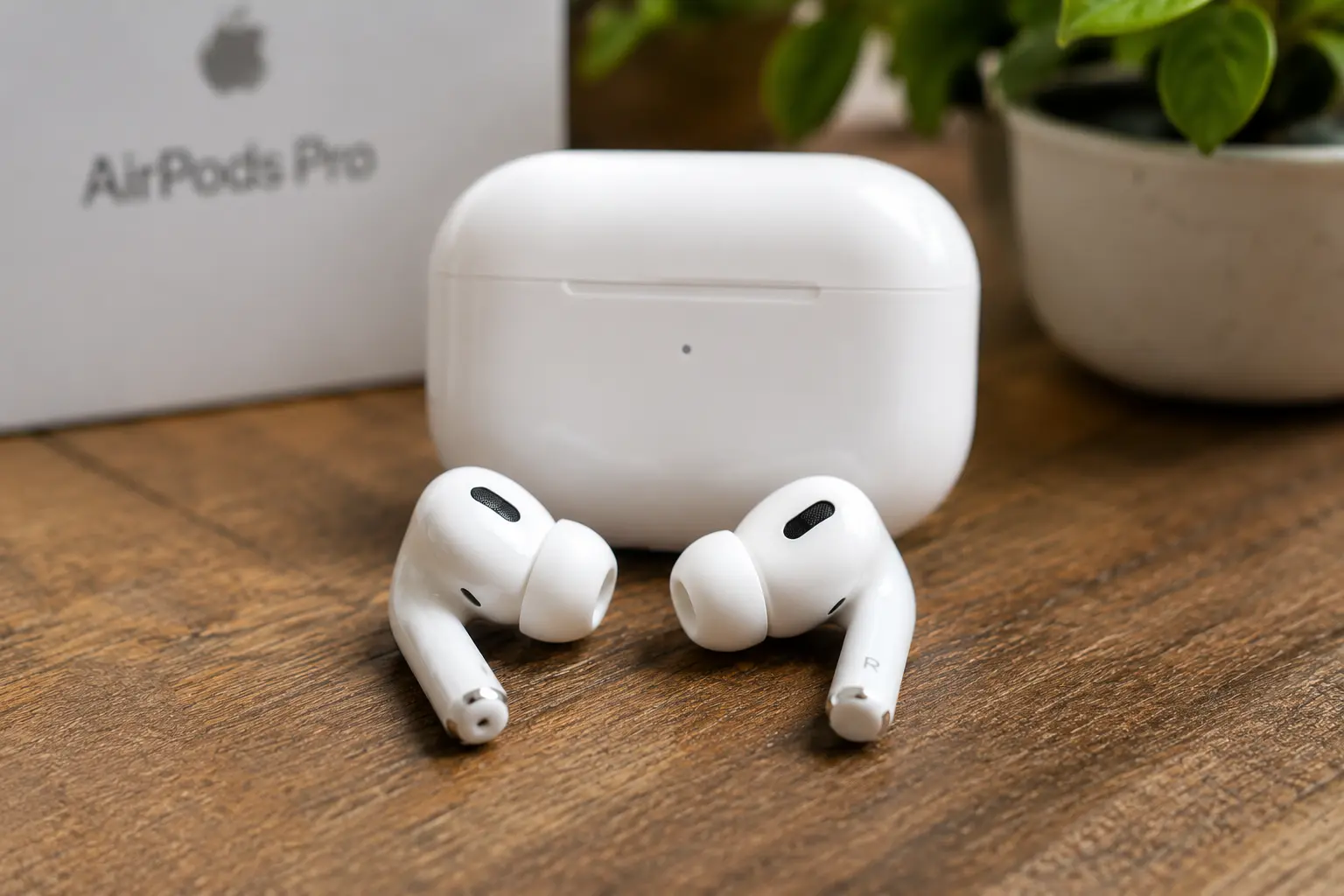
The newer charging case for the AirPods Pro 3 feels considerably smarter.
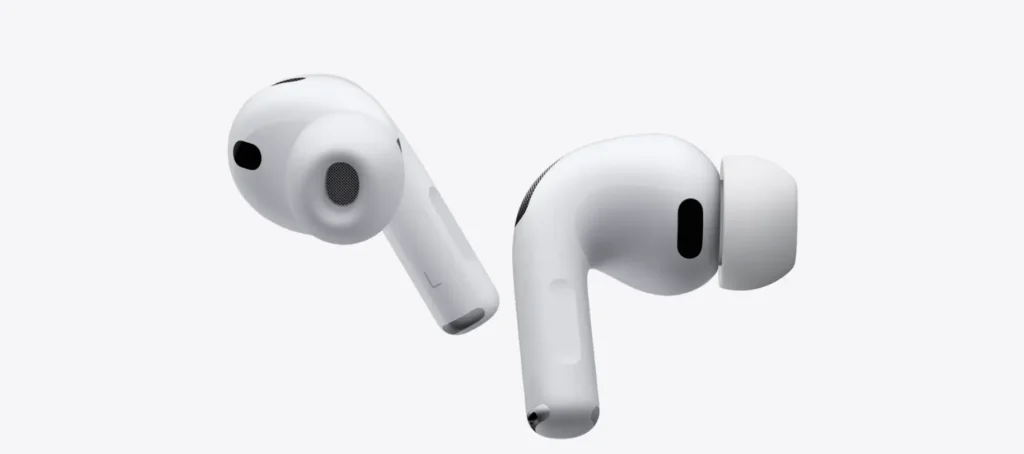
Instead of staring at a tiny dot on a map and hoping for the best, your iPhone now guides you toward the case with directional arrows—like a compass leading you straight to the prize. And if that’s not enough, the built-in speaker on the case plays an audible tone that becomes surprisingly easy to follow once you’re nearby. You just walk, listen, and zero in.

I’ll be honest—it doesn’t sound exciting until you actually need it.
I didn’t appreciate Precision Finding the day I set up the earbuds. I appreciated it the morning I was already running late, couldn’t remember where I’d left them, and was mentally preparing to tear the house apart. What should have turned into fifteen minutes of frustration became less than a minute of casually walking around the house while following my phone’s prompts.
Technology is often at its best when it solves problems you weren’t expecting to have that day. And honestly, this is one of those moments. It’s such a simple thing, but when you’re in a rush, and those little white earbuds have gone AWOL, it feels like a lifesaver.
If you’ve noticed everyone suddenly talking about these earbuds lately, you’re not wrong. AirPods Pro 3 Are Suddenly Everywhere: Here’s Why Everyone Is Talking About Apple’s Latest Earbuds, we unpack the hype and why these little white buds have taken over.
The Features You Stop Noticing Are the Ones That Matter Most
One thing I’ve noticed after spending years inside Apple’s ecosystem is that the biggest improvements aren’t always the flashy ones. They’re not the features that make for dramatic marketing videos or get the crowd cheering at keynotes. More often than not, they’re the ones you gradually stop noticing altogether.
Adaptive Audio. Conversation Awareness. Precision Finding.
None of these sounds particularly exciting when you read them on a spec sheet. Yet they’re the features I now rely on without even thinking about it. They quietly remove tiny bits of friction from everyday life, until one day you realize that going back to older earbuds suddenly feels genuinely inconvenient. Like you’re missing some invisible layer of intelligence that you didn’t even know you needed.
That’s something Apple has become unusually good at over the years. Not necessarily inventing entirely new categories of features, but taking existing ideas and polishing them until they fade into the background. Until they just work. Until you forget they’re even there.
And that’s exactly what happens with the next addition.
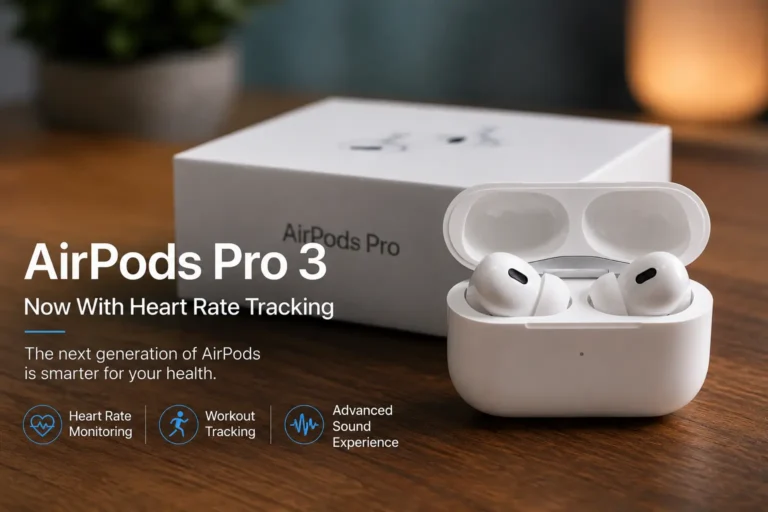
Wearing Earbuds During a Workout Suddenly Becomes More Useful
Most people already wear earbuds while exercising. They’re tracking a run, zoning out to a podcast, or just trying to survive another thirty minutes on the treadmill. So the obvious question becomes: if the earbuds are already sitting in your ears for an hour anyway, why shouldn’t they collect useful information while they’re there?
That’s the thinking behind the health-focused features slowly arriving in Apple’s audio products. Instead of treating earbuds as nothing more than portable speakers, Apple has gradually started turning them into sensors that work alongside the broader Health ecosystem.
For people who already wear an Apple Watch, the benefits might feel incremental rather than revolutionary. Your watch already tracks your heart rate, your activity, and your trends. The earbuds are just adding another layer of data.
For everyone else, though, this points toward something much bigger. Your headphones are quietly becoming another health device. Whether that’s something you’ll actively care about depends on how you use them—and how much you trust the data they’re collecting.
Personally, I still reach for my watch whenever I’m tracking serious workouts. It’s the device I naturally trust most for fitness data, and that’s probably not changing anytime soon. But it’s genuinely fascinating to watch headphones evolve into products that do much more than simply play music. Only a few years ago, that would’ve sounded ridiculous. Today, it feels like the obvious next step.
Putting It All Together
By this point, something else becomes clear. The AirPods Pro 3 aren’t really about one headline feature. They’re about dozens of tiny improvements layered on top of one another. None of them completely changes your life on its own. Together, though, they make the overall experience feel noticeably smarter than it did a generation ago.
And the deeper you dig into the settings, the more little surprises you uncover. It’s the kind of product that rewards curiosity—and the more time you spend with it, the more you realize just how much Apple has quietly packed inside.
Your AirPods Can Now Translate Conversations in Real Time
The older I get, the more I appreciate technology that removes awkward moments. And honestly? Travel is full of them.
You’re standing in a train station, squinting at a departure board, trying to figure out which platform just changed. You’re ordering lunch in a city where you barely know a handful of words. You’re asking someone for directions while both of you are pointing at your phones because neither person understands what the other is saying.
Those situations used to end with Google Translate bouncing back and forth between two people like a clumsy game of telephone. It worked—sort of—but it never felt natural.
Apple is trying to change that.
When paired with the right software, the AirPods Pro 3 can help translate conversations in real time, allowing spoken language to arrive in your ears almost as naturally as if the person were speaking your native language. No, it isn’t science fiction. And no, it isn’t perfect either.
Accents still matter. Background noise still matters. Fast speakers can occasionally confuse the software. But compared to where translation technology was only a few years ago, it’s surprisingly usable. I wouldn’t trust it for a business negotiation or an important medical appointment. But ordering dinner? Asking for directions? Chatting with someone at an airport? Absolutely.
Sometimes technology doesn’t have to be flawless to be genuinely useful. It just has to be good enough to bridge the gap—and in those small, everyday moments, this feature genuinely delivers.

The Smallest Gesture Can Save You From Looking Ridiculous
We’ve all had that moment. You’re carrying grocery bags in both arms, your phone starts ringing, and you’re suddenly doing this awkward dance trying to free one hand while balancing everything else—hoping you don’t drop either the groceries or the phone.
That’s where head gestures come in. And honestly, they sound almost silly until that exact situation happens.
Instead of fumbling for your phone, you simply nod to answer the call or shake your head to dismiss it. The first few times you do it, you’ll probably laugh—not because it doesn’t work, but because it feels so strange. We’re conditioned to interact with technology using our hands, not our heads. It takes a moment to reprogram that instinct.
After a while, though, it becomes surprisingly natural. You’ll be walking down the street, get a call, give a subtle nod, and just start talking without ever breaking stride. It’s one of those features you’ll rarely demonstrate to friends because, frankly, you look a little ridiculous nodding at invisible menus. Yet privately? It’s genuinely useful.
It’s not a feature that makes headlines. It’s not something Apple puts front and center in their marketing. But it’s the kind of thoughtful addition that, once you get used to it, makes you wonder why it wasn’t there all along.
One Tiny Trick Makes Group Photos So Much Easier
Every family has the same problem. The person taking the picture is never actually in the picture. You balance your phone against a water bottle, set a timer, sprint into position, smile, realize someone blinked, and repeat. It’s a whole workout just to get one decent group shot.
Using your AirPods as a remote shutter feels almost embarrassingly simple once you know it’s possible. Prop your iPhone somewhere stable. Frame the shot. Walk into the picture. Press the AirPods stem. Done. No sprinting. No countdown timer. No pretending to smile while secretly wondering if you made it into the frame before the shutter fired.
It’s one of those little tricks that isn’t life-changing, but once someone shows it to you, you’ll wonder why you didn’t know about it years earlier. It’s the kind of feature that makes you feel like you’ve unlocked some secret level of Apple’s ecosystem—and it works so seamlessly that you’ll start finding excuses to take more photos just to use it.
Calls Sound Better Because Apple Prioritizes the Right Sound
Noise cancellation usually focuses on what you hear. Voice Isolation focuses on what everyone else hears. And honestly, that’s an important distinction that’s easy to overlook.
We’ve all been on the receiving end of a call where the other person’s microphone seemed determined to broadcast every passing truck, barking dog, espresso machine, and gust of wind instead of their actual voice. It’s frustrating, and it makes you wonder why they bothered calling at all.
Apple attacks that problem using computational audio. Instead of trying to make everything sound louder, it tries to decide what actually matters. Your voice stays. Most of the surrounding chaos disappears. The effect isn’t magic—a hurricane will still sound like a hurricane—but walking through a busy street or sitting in a noisy café becomes much less frustrating for the person on the other end of the call.
Ironically, they’ll probably notice the improvement long before you do. You’ll just be going about your day, chatting away, while they’re thinking, “Wow, you sound incredibly clear for someone standing next to a construction site.” It’s one of those behind-the-scenes features that quietly makes you look (or sound) better without you ever having to lift a finger.
Most People Never Change the Way Their AirPods Sound
Ask ten people how their AirPods sound and you’ll usually get one answer: “They sound good.” Very few people ever explore beyond the default tuning. They unbox, pair, play, and move on with their lives.
But buried inside Accessibility settings is a collection of audio adjustments that can dramatically change the listening experience depending on what you actually spend your time listening to. If your day is filled with podcasts and audiobooks, emphasizing vocal clarity makes far more sense than chasing the deepest bass. Movie lovers may prefer a different balance altogether—something with more presence and punch. Music enthusiasts will probably spend an evening experimenting before settling on something that feels more natural to their ears.
There isn’t a universally correct setting. That’s the whole point. Hearing isn’t identical from one person to the next. Our preferences certainly aren’t. Apple quietly gives users more control than many people realize—they just don’t advertise it particularly well. It’s another reminder that the best features are often the ones buried three menus deep, waiting for curious owners to stumble across them months after buying the product.
And that’s exactly what happens with the final group of features, where the AirPods Pro 3 begin to feel less like wireless earbuds and more like a small computer that happens to play music.